
kdump and vmcore in practice: from the installer default to a real crash capture (a 62MB vmcore on file)
What you will learn
Section titled “What you will learn”How to preserve evidence when the kernel dies. This page is a real crash → vmcore on disk → automatic recovery log (not a documentation paraphrase), including OL’s tiered reservation parameters, how to read the artifacts, and two commonly misread details.
Current state: the installer turns it on by default
Section titled “Current state: the installer turns it on by default”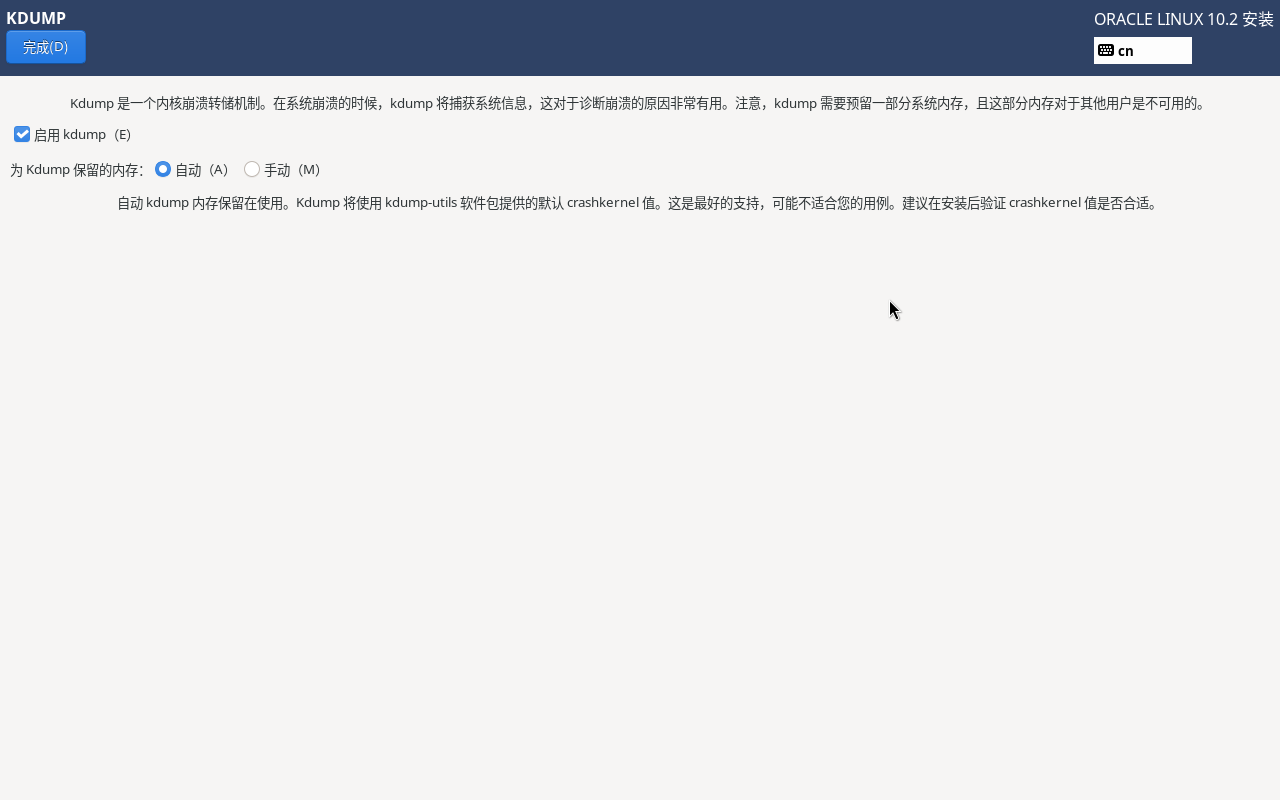
The installation summary shows KDUMP as enabled, and on the installed system:
kdumpctl status# kdump: Kdump is operationalcat /proc/cmdline | tr ' ' '\n' | grep crashkernel# crashkernel=1G-64G:448M,64G-:512MThe reservation tiers are compiled-in kernel defaults: 1G–64G of memory reserves 448M; above 64G reserves 512M. The 2GiB lab machine lands in the 448M tier — a noticeable memory cost on a small machine (free -m available memory runs a chunk lower); see “Disabling and reconfiguring” at the end if that matters.
A real crash, on record
Section titled “A real crash, on record”syncecho c > /proc/sysrq-trigger # deliberately crash the kernelThe measured timeline:
- SSH drops instantly (the kernel is dead, TCP is gone);
- The kdump kernel takes over — the spare kernel in the crashkernel reservation boots and dumps the crashed machine’s memory;
- The vmcore lands:
/var/crash/127.0.0.1-2026-11-04-23:57:59/├── vmcore 64,852,233 bytes (62 MB)├── vmcore-dmesg.txt the crash-scene dmesg (panic stack included)└── kexec-dmesg.log the kdump kernel's own boot log- The system reboots automatically back to the UEK kernel and
kdumpctl statusis operational again — unattended, about 2 minutes.
The value of vmcore-dmesg.txt: the first scene without touching the binary:
[ 2816.852805] Kernel panic - not syncing: sysrq triggered crash[ 2816.852923] CPU: 0 UID: 0 PID: 2238 Comm: bash Kdump: loaded Not tainted 6.12.0-208.112.5.el10uek.x86_64 #2[ 2816.853268] Call Trace:Two commonly misread details (measured)
Section titled “Two commonly misread details (measured)”- “No vmcore creation test performed!” never goes away — even after a successful real capture,
kdumpctl statusstill shows this notice. It only tracks thekdumpctl crashmanual-test path; whether a core was really captured is judged from the artifacts in/var/crash/; - vmcore size ≈ memory in use at crash time, not total physical memory — this 2GiB machine produced a 62MB core (most pages were unused at crash time).
core_collectorin/etc/kdump.confdecides the compression strategy (makedumpfile by default keeps only useful pages).
Disabling and reconfiguring
Section titled “Disabling and reconfiguring”# Temporary (gone at next boot)systemctl stop kdump
# Permanent: the inverse of the installer checkbox = grubby removes crashkernel + disable the servicegrubby --update-kernel=ALL --remove-args=crashkernelsystemctl disable --now kdump
# Change the reservation (e.g. fixed 256M)grubby --update-kernel=ALL --args=crashkernel=256MrebootProduction machines should not disable it: the vmcore is the only kernel-level forensic artifact; on memory-tight machines just move the reservation tier down.